Income and Expense Tracker for a Small Business: Free Excel
A free income and expense tracker for a small business in Excel: categories, a daily record for cash, card and Click or Payme, a monthly summary and three checks.
Record every amount that comes into or leaves the business on the day it happens, with a category and the way it was paid: cash, card, Click or Payme, or bank transfer. At the end of the month add up each category; income minus expenses is the result, and the cash you can count must match what the record says. Our free Excel cash book does the monthly totals for you.
Keep business money apart from your own
Most cash books fail for one reason: the business till and the family wallet are the same pocket. Three habits fix that:
- Keep one cash box and, if you can, one card or account only for the business.
- When you take money for yourself, record it as "Owner's withdrawal", not as an ordinary expense. When you put your own money in, record where it came from in the note.
- Do not pay family costs from the till "for now". One unrecorded payment is enough to make the evening count disagree with the book.
Categories for a small business in Uzbekistan
| Income | Expenses |
|---|---|
| Sales of goods | Goods and raw materials |
| Services | Rent |
| Customer debts repaid | Salaries |
| Prepayments from clients | Taxes and fees |
| Delivery charges | Utilities: electricity, gas, water |
| Other income | Transport and delivery |
| Advertising, for example in Instagram or Telegram | |
| Bank and payment fees | |
| Repairs and equipment | |
| Phone and internet | |
| Owner's withdrawal | |
| Other expenses |
Keep the list short: six income and twelve expense categories are enough for most shops, cafés, salons and workshops. If "Other" grows beyond a few percent of the total, split it into a new category. Salaries cost more than the amount you hand out, because of the income tax and social tax; the payroll guide shows how much.
The daily record
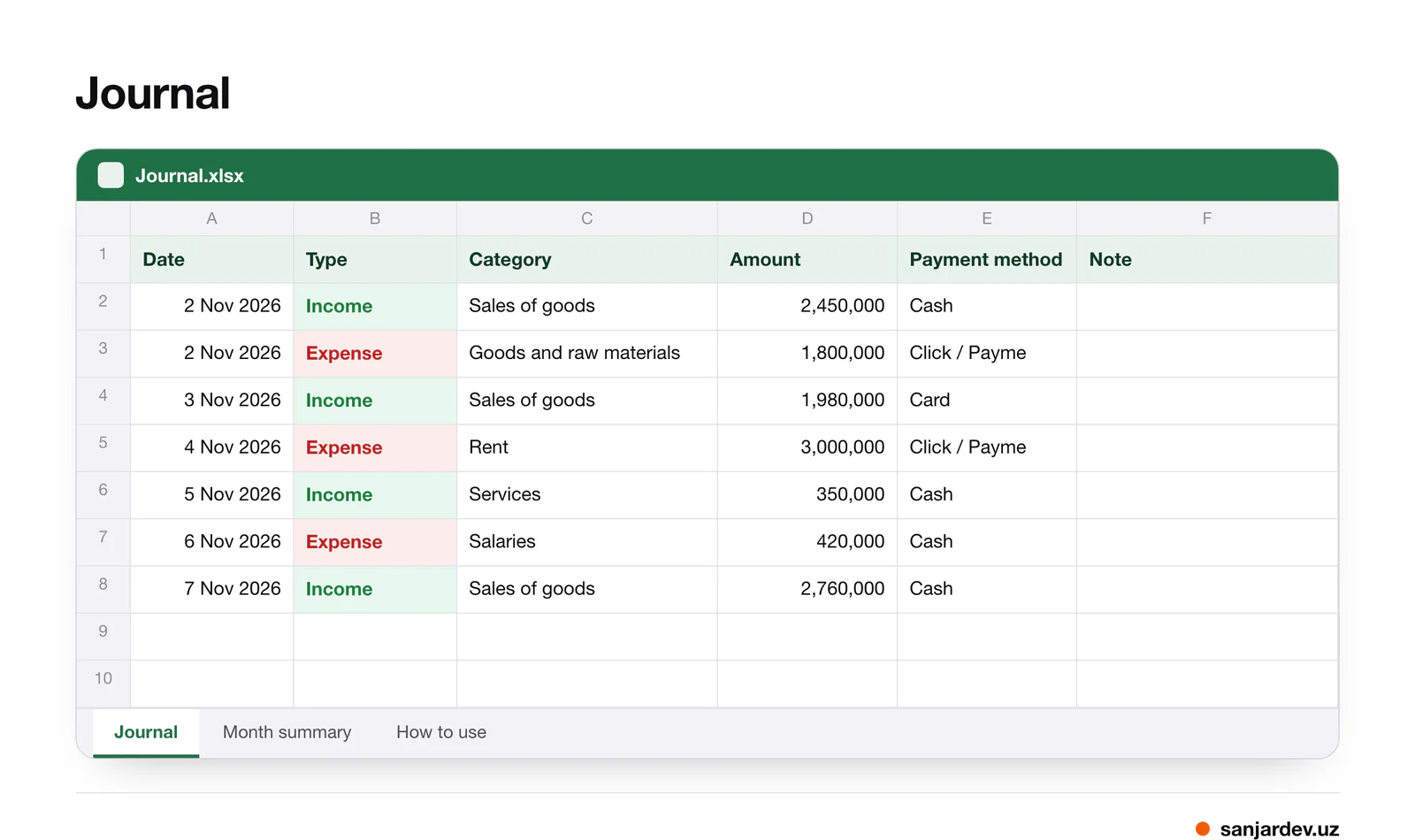
Each payment is one line in the journal: date, type (income or expense), category, amount, payment method and a short note. One day in a small café might look like this:
| Type | Category | Amount, so'm | Payment method |
|---|---|---|---|
| Income | Sales of goods | 1,250,000 | Cash |
| Income | Sales of goods | 2,100,000 | Card |
| Income | Sales of goods | 640,000 | Click / Payme |
| Expense | Goods and raw materials | 1,800,000 | Bank transfer |
| Expense | Transport and delivery | 60,000 | Cash |
| Expense | Salaries (advance) | 1,000,000 | Cash |
Income for the day is 3,990,000 so'm, expenses 2,860,000 so'm, and the result 1,130,000 so'm. If the cash box held 300,000 so'm in the morning, it should hold 300,000 + 1,250,000 − 60,000 − 1,000,000 = 490,000 so'm in the evening: only cash lines change the cash box.
Three rules keep the journal honest:
- Write on the same day, from the receipts. Totals from memory at the end of the week are always wrong.
- Make one line per payment. If a customer paid partly in cash and partly by card, make two lines.
- Moving money between your own cash box, card and account is neither income nor expense. Leave it out of the journal and note it separately.
Cash, card, Click and Payme
- Cards and payment services pay the money into your account later and keep a fee. Record the sale in full on the day, and the fee as "Bank and payment fees" when it shows on the statement.
- Sales on credit (nasiya) are a sale but not money yet. Record the income when the customer pays, under "Customer debts repaid", and keep the debts themselves in a separate customer credit book.
- Prepayments are money in hand for work you still owe. Record them as "Prepayments from clients" so that you remember the obligation.
The monthly summary
The month summary sheet adds up every category for each month and shows the income total, the expenses total and the result. Once a month, compare the month with the one before and look first at the three largest expense categories: that is where savings, or leaks, usually are.
Profit is not the same as cash
The result in a cash book is money in minus money out. Profit is something else, and the two can differ a lot:
- Goods bought this month and sold next month make this month look worse and next month better. A stock count tells you how much is still on the shelves.
- A sale on credit is already earned, but the cash arrives later.
- Equipment bought once serves for years, yet it leaves the cash box in one day.
- Owner's withdrawals reduce the cash, but they are not a cost of running the business: add them back when you judge how the business did.
So a weak cash month can hide a profitable one, and a strong cash month can come from prepayments you still have to work off.
Three checks that catch most mistakes
- Count the cash box every evening and compare it with the record. A difference found the same day is easy to explain; a week later it is not. Companies in Uzbekistan must count their cash at least once a month in any case (accounting standard No. 19, item 5).
- Match the statements every week: the card terminal, Click, Payme and the bank account against the lines in the journal.
- Keep the receipts. The Tax Code obliges taxpayers to give buyers receipts or invoices and to keep the documents needed to calculate taxes for three years after the year the tax was due (Art. 22). Companies keep accounting documents for at least five years (Law on Accounting, Art. 29).
A cash book is not your official accounting
This record is for you: it shows where the money goes. Taxes are calculated under the Tax Code and depend on your tax regime, and companies keep their accounts under the national accounting standards. Give the journal to your accountant, but do not use it instead of one, and check the rules for your regime on soliq.uz.
How to use the template
Download the cash book template (Excel)
- On the Journal sheet, add one line per payment: date, type, a category from the list, amount, payment method and a note.
- The Month summary sheet totals the categories by month by itself.
- The "How to use" sheet repeats these rules for whoever fills in the journal.
- Rename categories if you need to, but do it at the start of a year, not in the middle.
When to move from a spreadsheet to an app
A spreadsheet is enough while one person handles the money in one place. Consider an app when:
- several people take money: cashiers, branches, couriers;
- you want to see today's cash and expenses from your phone;
- sales, client payments and salary payouts should reach the cash book without being typed twice;
- you want month-to-month comparisons by category without maintaining formulas.
FAQ
How can a small business track income and expenses for free?
With a spreadsheet like ours: one line per payment with a category and a payment method, a monthly summary, and an evening count of the cash box. It costs nothing but five minutes a day.
What is the difference between a cash book and an income and expense tracker?
A cash book usually records only the cash box. An income and expense tracker records all money, whether cash, card, Click, Payme or bank transfer, and groups it by category. Our template does both: the payment method column lets you check the cash box separately.
Should I record the money I take for myself?
Yes, as "Owner's withdrawal". Otherwise the cash count will not match the record, and you will not know what the business really earns.
How long should I keep receipts in Uzbekistan?
The Tax Code requires keeping documents needed to calculate taxes for three years after the year the tax was due (Art. 22). Companies keep accounting documents for at least five years (Law on Accounting, Art. 29).
How MyBizz helps
MyBizz (App Store, Google Play), the business app we develop, keeps the cash book of a business with several cash desks, such as cash, a card and a bank account, with transfers between them and income and expenses by category compared with the previous month. Sales, client payments and salary payouts reach the cash book by themselves, so nobody types them twice, and the owner sees the balances on the phone. MyBizz only keeps records: it does not move money or make payments, and it does not replace your accountant. The app is free to download and free during the trial period; after that a company needs a paid plan, priced by the number of employees.
Sources
- Tax Code of the Republic of Uzbekistan, Art. 22 (in Russian) — lex.uz, 2019, amended 2023
- Law on Accounting, Art. 29 (in Russian) — lex.uz, 2016
- National accounting standard No. 19 "Organisation and carrying out of an inventory count", item 5 (in Uzbek) — Ministry of Economy and Finance, lex.uz, 2024
- Tax Committee of the Republic of Uzbekistan — Tax Committee, 2026
Written by Sanjar Jabborov, developer of MyBizz. Checked against the Tax Code and the Law on Accounting of Uzbekistan (lex.uz). Updated on 14 November 2026. This template is a management record, not accounting or tax advice.