Small Business Expense Tracker for Shops (Free Excel Template)
A small business expense tracker for shops: what to write down, 12 expense categories, stock versus running costs, and a free Excel template with monthly totals.
To keep track of a shop's expenses, write down every payment on the day you make it, in one place: the date, the category, what it was for, the amount and how you paid, and keep the receipt. Once a month, add up each category, compare it with the month before, and read stock purchases separately from the costs of keeping the shop open. The free Excel template below does the adding up for you.
Download the shop expense tracker (Excel)
Why write down every expense
You probably know your rent by heart. The money that slips away is in small, frequent payments: a delivery, a bag of ice, a taxi to the wholesale market, a fee the bank takes by itself. Each is too small to remember, but a month of them adds up.
A written list shows you:
- where the money goes, and which costs are growing;
- when rising rent, wages or electricity mean your prices have to follow;
- half of the answer to what the month brought in; your sales are the other half.
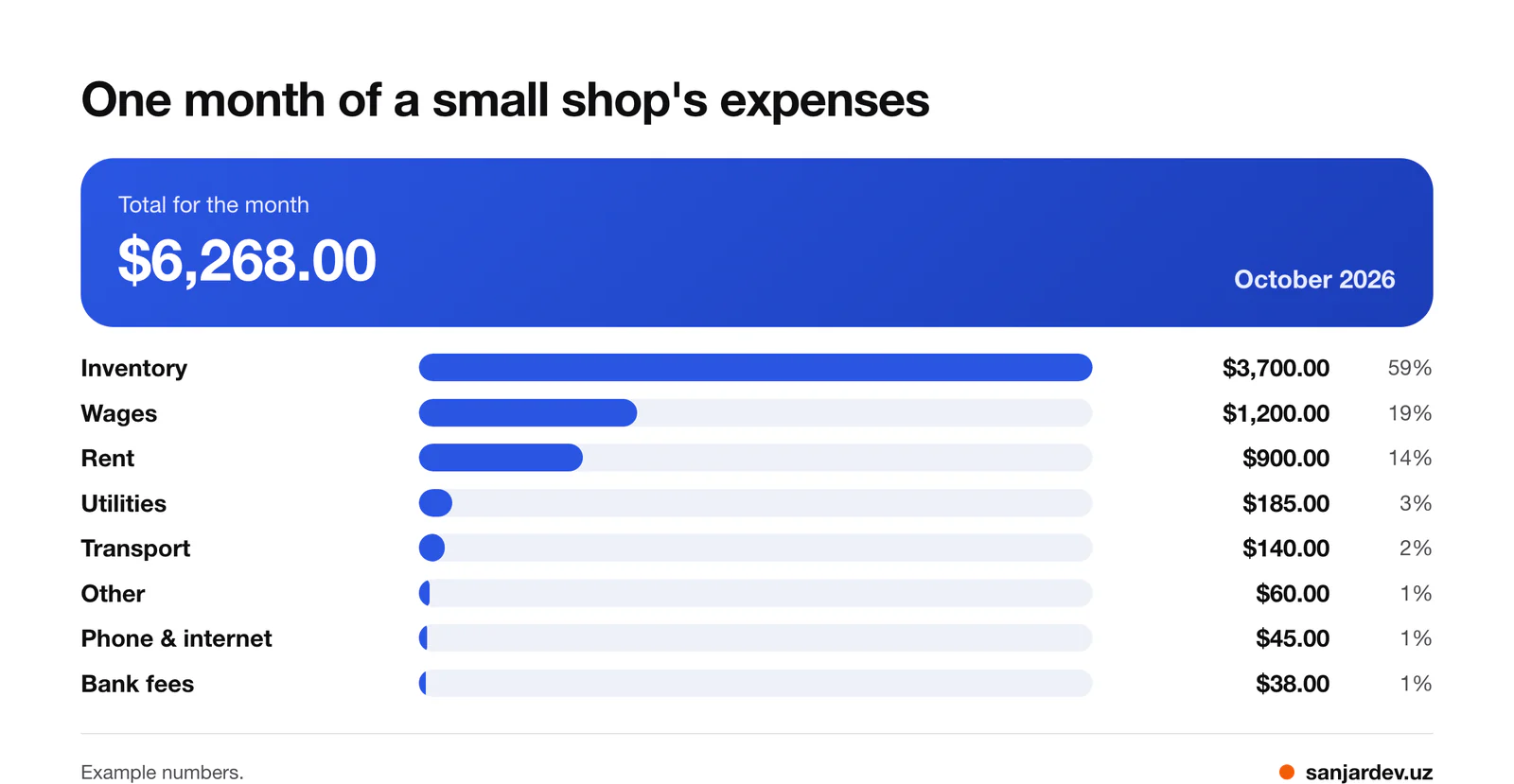
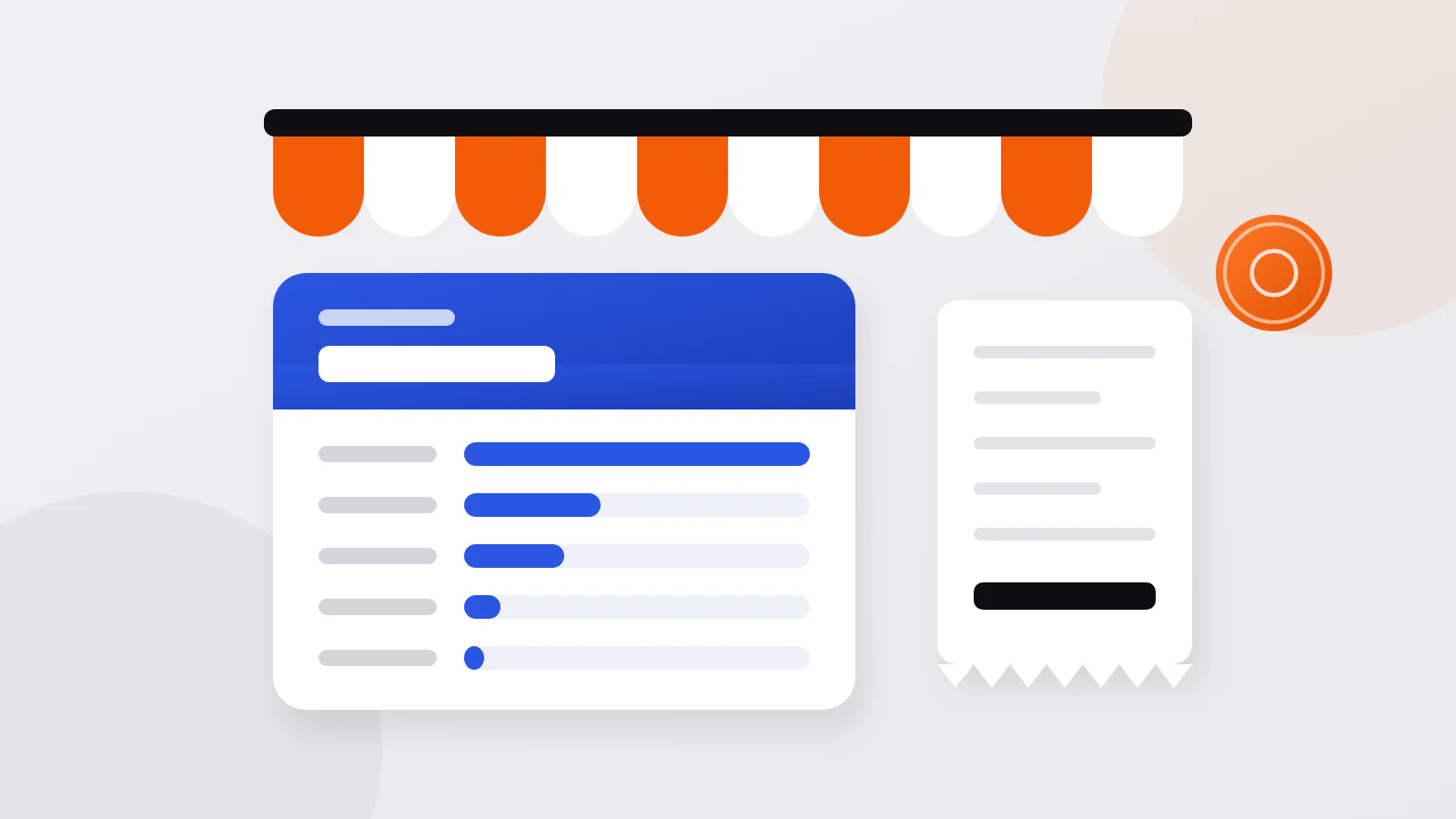
Here is October for an example shop: $6,268.00 in total. Inventory took $3,700.00 (59%), wages $1,200.00 (19%) and rent $900.00 (14%). Each of the five smaller categories was 3% or less, and those are the costs nobody plans for.
What counts as a shop expense
A shop expense is any money the shop pays out to keep trading: the goods it sells, the place, the people, the bills and the fees. These 12 categories, the same ones the template uses, fit a kiosk, a mini market, a bakery or a stall:
| Category | What goes there |
|---|---|
| Inventory | goods you buy to sell, from suppliers, the wholesale market or producers |
| Rent | the shop, the stall or the storeroom |
| Wages | pay for helpers and staff, including advances |
| Utilities | electricity, water, gas |
| Transport | deliveries, fuel, taxis to the market |
| Phone & internet | the shop's phone and internet |
| Taxes | taxes and official fees the shop pays |
| Repairs | repairs and maintenance: the fridge, the lock, the shelves |
| Packaging | bags, wrapping, boxes, labels |
| Food | lunches and tea for the people working in the shop |
| Bank fees | account charges, card terminal and transfer fees |
| Other | everything that fits nowhere else |
A cost that comes back every month deserves its own category, such as Cleaning or Advertising: if Other becomes one of your biggest categories, it is hiding something.
Personal spending stays off the list, even when the cash comes from the till: groceries for home, school fees, a present. So does money you take home for yourself; note it separately, so the till still adds up. And the other way round: a shop cost paid from your own pocket is still a shop expense, so write it down and pay yourself back from the till.
Buying stock is spending, but not lost money
When you pay a supplier, the money leaves the till, but the shop gets goods that will bring money in again, usually more than you paid. Rent, wages, electricity and fees are different: once paid, they are gone, and the shop has to earn them back every month from the difference between what it pays for goods and what it sells them for.
So read a month in two parts:
- Stock purchases, the Inventory category. Compare them with your sales. A big month is not always a bad one: you may have stocked up before a holiday or bought in bulk at a better price. It becomes a problem when goods stay on the shelf or spoil.
- Running costs, everything else. Compare them month by month. They should be fairly steady; when one jumps, find out why.
In the example, the $3,700.00 of inventory is now either on the shelves or back in the till as sales, while wages, rent and the smaller items are what it cost to keep the shop open in October.
If you know your sales, you can estimate what the shop earned: sales, minus what the goods you sold had cost you, minus the running costs. Count only the goods sold, not everything you bought: stock on the shelf is not spent yet.
A simple system: one place, the same day
Five habits are enough:
- One place. A notebook, this template or an app, but only one. Two half-kept lists mean costs counted twice or not at all.
- The same day. Write each payment down before you close. By the weekend, the small ones are forgotten.
- Five details: the date, the category, what it was for, the amount, and how you paid: cash from the till, card or bank transfer. The method lets you check cash payments against the till and the rest against the bank statement.
- Proof. Keep receipts, invoices and payment messages in one envelope or folder per month, and photograph paper receipts the same day, because paper gets lost and some receipts fade. When there is no receipt, for a porter paid in cash for example, note the date, the amount, what for and who was paid.
- A monthly look. Compare each category with last month and check that every regular payment, such as rent and wages, is there. If the till is short while expenses look normal, check what customers owe you: money in the customer credit book is not in the till, and if that total keeps growing, read selling on credit: is it worth it.
The free expense tracker template
Download the shop expense tracker (Excel)
The template is an Excel file with four sheets. It also opens in Google Sheets: Google's help says Drive opens an Office file there when you double-click it, and the template's main formulas, SUMIFS and EDATE, exist in both.
| Sheet | What you do there | What it does for you |
|---|---|---|
| Expenses | add one row per payment: date, category, what for, amount, paid by | offers the categories and payment methods in drop-down lists; the filter buttons in the header show, for example, only cash payments |
| By month | nothing, except the year in the yellow cell | adds up every category for each month of that year, with a total for each month and each category |
| Lists | rename categories and payment methods before you start | feeds the drop-down lists and the category names on By month |
| How to use | read six short instructions | keeps the rules inside the file |
It opens with eight sample payments from the example shop's October, $3,843.00 in total, so you can see By month at work; the full month in the chart has more. Delete them before you add your own. Four things keep the totals right:
- Rename categories first. By month and the drop-down lists follow a new name on the Lists sheet, but rows typed earlier keep the old one and drop out of the totals.
- Pick categories from the list. A misspelled category is not counted.
- Type plain numbers and real dates. "45 USD" is text, and the sheet cannot add it up.
- For another year, type it in the yellow cell on By month; older rows stay on the Expenses sheet.
If customers also buy from you on credit, the customer debt tracker spreadsheet works the same way for what they owe you.
Common mistakes
| Mistake | What goes wrong | How to avoid it |
|---|---|---|
| writing it all down at the end of the week | small cash payments are forgotten | record each payment the same day |
| paying shop costs from your pocket and not recording them | the month looks cheaper than it was | record them, then pay yourself back |
| taking cash from the till without a note | the till is short and nobody knows why | note it separately, not as an expense |
| putting everything in Other | you cannot see what is growing | give regular costs their own category |
| forgetting fees the bank takes by itself | the list never matches the bank statement | read the statement every month |
| recording a supplier bill when it arrives and again when you pay | the month looks more expensive than it was | record a payment once, on the day the money leaves |
| a new fridge or shelves entered under Repairs | one month looks terrible, though they last for years | give such purchases their own category, such as Equipment |
| throwing receipts away | you cannot check or prove a payment later | keep them, or photos of them, by month |
Do you have to keep expense records for tax?
It depends on your country and on how your shop is registered and taxed, so read your tax authority's guidance for small businesses or ask an accountant. Until you know, keep every receipt and the expense list itself.
One example: in the United States, the IRS lets a business use any recordkeeping system that clearly shows its income and expenses, and asks it to keep the documents behind the entries, such as receipts, invoices and canceled checks, in order, for instance by year and type of expense. It also lists goods bought for resale separately from other expenses. Generally, the records behind a tax return must be kept for three years after you file it, and longer in some situations the IRS lists.
What a spreadsheet cannot do
A spreadsheet is a good step up from a notebook, but it has limits:
- It is slow at the counter, so payments wait until the evening, and some are never written down.
- It does not keep the receipt with the row; matching photos to rows is up to you.
- It does not know your sales, so it cannot tell you what the shop earned.
- It breaks quietly: sorting one column or typing over a formula gives wrong totals without a warning, and in a shared Google Sheet anyone with edit access can change old rows.
If you sit at a computer every evening, the template is enough. If you pay for things all day, a list on your phone that takes seconds per payment is easier to keep up.
FAQ
What is the easiest way to keep track of business expenses?
One list, filled in the same day, with the receipts kept by month. Choose the method you will actually use every day: a notebook, this template or an app.
How do I track business expenses in Excel?
Keep one row per payment with the date, category, description, amount and payment method, and add up each category per month on another sheet with SUMIFS. The template on this page is built that way.
Is buying stock an expense?
It is money the shop spends, so it goes on the list under Inventory. But it is not lost: the goods come back as sales. Read it separately from running costs and compare it with your sales. How stock is treated for tax depends on your country's rules.
How do I keep business and personal expenses separate?
Pay shop costs from the till or a shop bank account and personal costs from your own money. When the two mix, write it down: a shop cost paid from your pocket goes on the list, and cash you take for yourself is noted separately.
Is there a free small business expense tracker for Google Sheets?
Yes: upload the Excel template from this page to Google Drive and open it in Google Sheets, where its SUMIFS and EDATE formulas work too.
How Daftio helps
Daftio, the app we develop for Android, is a debt book for shops with an Expenses tab. You tap a category tile, type the amount, and change the date or add a note if you need to. A card at the top shows the month's total and the number of expenses, each tile shows its category's sum, and the list below groups the month by day. It has the same 12 categories as the template, and you can add your own with one of 24 icons. Daftio is not a cash book: it does not record cash sales, so it shows no profit and no cash balance, and an expense has no payment method or receipt photo. Without a subscription you work with the current month; Daftio Pro, a yearly subscription with a 7-day trial, adds past months and CSV export. Daftio on Google Play.
Sources
- What kind of records should I keep — Internal Revenue Service, 2026
- How long should I keep records? — Internal Revenue Service, 2026
- SUMIFS function — Microsoft Support, 2026
- EDATE function — Microsoft Support, 2026
- SUMIFS function — Google Docs Editors Help, 2026
- EDATE — Google Docs Editors Help, 2026
- Work with Office files — Google Docs Editors Help, 2026
Written by Sanjar Jabborov, developer of Daftio. General information, not legal or tax advice: check the current rules where you work. Updated on 15 November 2026.