How to Publish an App on the App Store and Google Play (2026)
How to publish an app on the App Store and Google Play: developer accounts and fees, store requirements, review times and common rejection reasons.
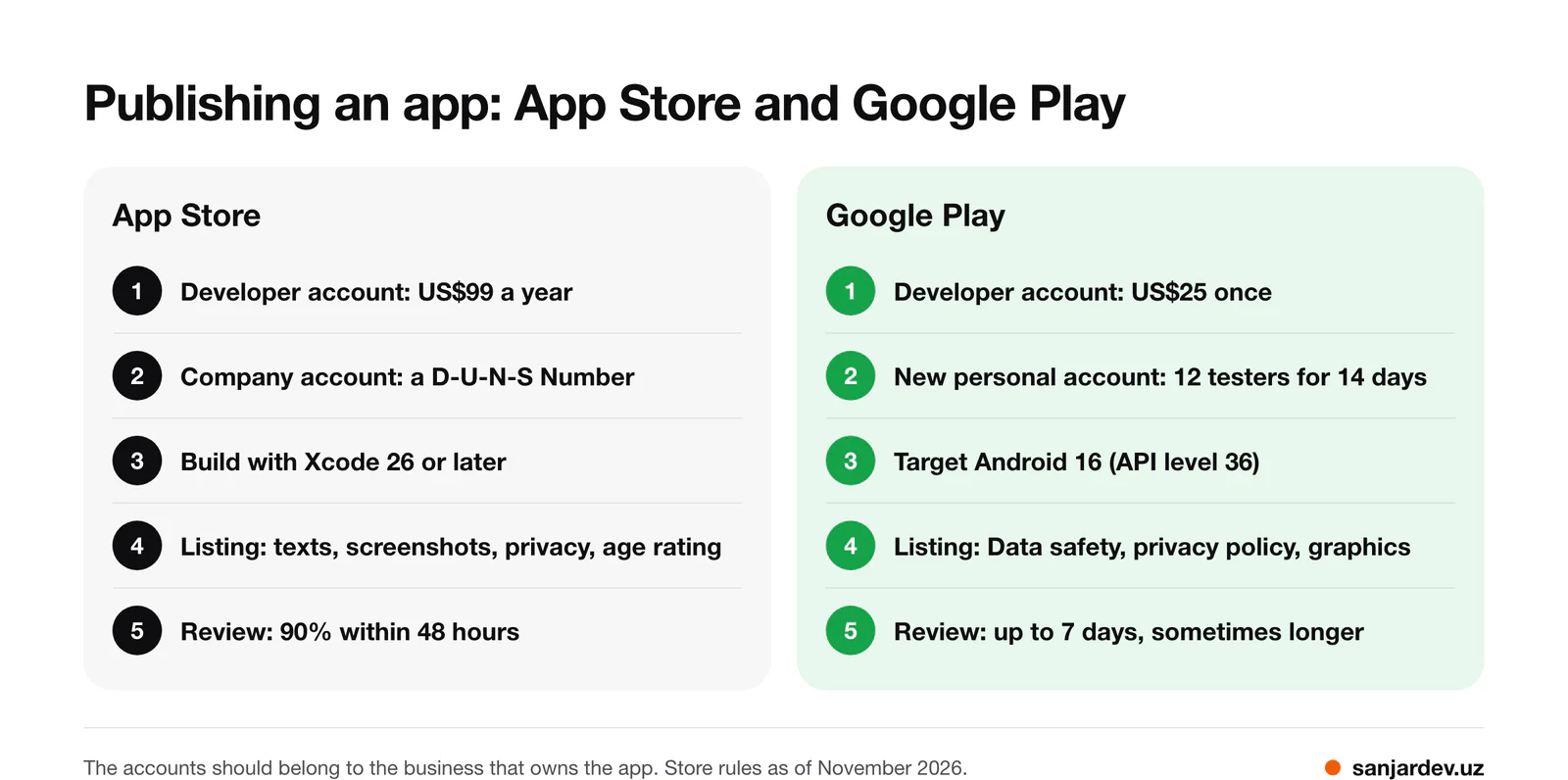
Short answer. You need a developer account in each store (Apple: US$99 a year, Google: US$25 once), a finished app that follows the store rules, and a listing with texts, screenshots, a privacy policy and an age rating. Apple says it reviews 90% of submissions in under 48 hours; Google warns that some reviews take up to seven days or longer. The accounts should belong to the business that owns the app.
I publish my own apps, Pressio (App Store, Google Play) and Glucio (App Store, Google Play), and my clients' apps. Below is the process as Apple and Google describe it in November 2026; links to their rules are at the end.
1. Developer accounts: individual or company
| App Store (Apple) | Google Play | |
|---|---|---|
| Fee | US$99 per year | US$25 once |
| Account types | Individual or organization | Personal or organization |
| A company needs | A legal entity (no trade names or branches), a D-U-N-S Number, a website on its own domain, a signer with legal authority | A D-U-N-S number, a website and phone, verified contacts |
| Seller name | Your legal name or the company name | The developer name you choose |
A D-U-N-S Number is a free company identifier from Dun & Bradstreet. Apple advises allowing up to five business days to get it and up to two more before Apple sees it, so request it first.
Some apps need a company. Apple says apps in highly regulated fields, such as banking, healthcare, gambling, air travel and crypto exchanges, should be submitted by the legal entity that provides the service. Google requires an organization account for financial products, health apps such as medical apps, VPN apps and government apps.
Google's testing rule. A personal account created after 13 November 2023 must first run a closed test (a release for invited users) with at least 12 testers who stay opted in for at least 14 days in a row, and only then apply for production access. Organization accounts are not covered by this rule.
2. Whose name should be on the account
The listing, ratings, downloads and income live in the account, and customers see its name as the seller, so it should belong to the business. At Apple, the organization's Account Holder renews the membership, accepts legal agreements and approves banking changes.
The setup I recommend: the company registers both accounts, pays the fees and invites the developer. Apple organization accounts add team members with roles such as Admin or Developer; in Google Play Console, the owner or an admin gives a user access to the whole account or to one app. When the work ends, you remove the access, and the app stays yours.
Both stores can transfer an app to another account, but with conditions: Apple asks you to remove TestFlight builds and testers first, and Google does not move earnings reports or test groups. If the app is distributed in the European Union, both stores also ask for your trader status under consumer law, and a trader's address and phone are shown on the store page (at Google, from March 2027). For a personal account, that can mean a home address. Google asks every active account to declare its status; existing accounts by 1 February 2027.
3. What the stores ask for before review
- Privacy policy: required by Apple for iOS apps; Google wants it in the listing and inside the app, even if the app collects no personal data.
- Privacy answers: Apple's App Privacy details and Google's Data safety form, including data collected by third-party code such as analytics or ads.
- Age rating: a questionnaire in both stores; Apple sets 4+, 9+, 13+, 16+ or 18+ from your answers.
- Texts and images: Apple wants a name and subtitle of up to 30 characters each and one to ten screenshots per device size; Google, a short description of up to 80 characters, a 512 × 512 icon, a 1024 × 500 feature graphic and at least two screenshots.
- Reviewer access: a working demo account if the app has a login.
- Account deletion: if users can sign up, both stores require deletion inside the app; Google also wants a web page for it.
- Current builds: as of November 2026, Apple accepts uploads built with Xcode 26 or later, and Google requires new apps and updates to target Android 16 (API level 36).
Selling subscriptions or other digital content needs Apple's Paid Apps Agreement and a Google payments profile, and in most countries it goes through the stores' own billing; the guide to online payments explains how this differs from a website or a bot.
In my app PRORAB, built for construction foremen, publishing in both stores meant preparing metadata, screenshots, a privacy policy and age ratings for each; the extended features are sold as a monthly in-app subscription. In Qarz Daftar, the server verifies StoreKit and Google Play Billing subscriptions with both stores.
4. How long review takes
Apple says it typically reviews at least 50% of submissions in under 24 hours and 90% in under 48 hours; you can request an expedited review for a critical bug fix or an event date. Google says reviews may take up to seven days or longer in exceptional cases and that some accounts are checked more thoroughly.
Plan the launch with a margin: the D-U-N-S Number, Google's 14-day test for a new personal account, then review. Every rejection adds another round.
5. Common rejection reasons
Apple says over 40% of unresolved issues relate to guideline 2.1, App Completeness. Both stores publish rules for the typical problems:
| Problem | Apple | Google Play |
|---|---|---|
| Crashes, bugs, placeholder content | 2.1 App Completeness | Broken functionality |
| A website wrapped in an app | 4.2 Minimum Functionality | Limited functionality; a webview of a site without permission |
| Listing does not match the app | 2.3 Accurate Metadata | Misleading metadata, claims like "#1" |
| Reviewer cannot sign in | Incomplete information | Missing sign-in details |
| Privacy | A policy that does not explain data use | Data safety answers that do not match the app |
| Wrong publisher | Submitted by incorrect entity | Organization account required |
Test the release build on real devices, open every link, and leave clear notes for the reviewer: that costs less than a rejection.
What publishing costs
The store fees are US$99 a year for Apple and US$25 once for Google. On digital sales the store also takes a commission: 15% in Apple's Small Business Program for developers who earned up to 1 million USD in the previous year, while Google's rates depend on the region and the type of purchase and changed in several countries in 2026.
Publishing is the last stage of my work: the app goes to the App Store and Google Play, and I stay in touch after launch. A native iOS or Android app starts from $300; what changes the price is in the price guide and the mobile app cost guide.
FAQ
Can the developer publish the app from his own account?
Yes, but then he is the seller, and the ratings and income stay with him. A later transfer has conditions, so start with your own account and give him access.
Do I need a company to publish an app?
Not for most apps. You do for regulated fields such as finance and health, and a company account is not subject to Google's 12-tester rule.
Can I publish my website as an app?
Not as a bare wrapper: Apple asks for more than a repackaged website, and Google rejects apps with only limited functionality. For an app-like service without the stores, consider a Telegram Mini App.
Sources
Apple:
- Enrollment and fee
- D-U-N-S Number
- App Review
- Review Guidelines
- App information
- Age ratings
- Screenshots
- App Privacy details
- Upcoming requirements
- Roles
- App transfer
- EU trader requirements
- Paid Apps Agreement
- Small Business Program
Google Play:
- Registration fee
- Account types
- Account information
- Testing for new personal accounts
- Review times
- App content
- Data safety
- Listing graphics
- Account deletion
- Functionality
- Spam and webviews
- Metadata
- Target API level
- Trader status
- Users and permissions
- App transfers
- Service fees
Discuss your project
If you have an app to build, or one that is waiting to be published, write to me on Telegram, WhatsApp or by e-mail. Describe it in a few sentences, and I will reply with questions and an estimate. You can write in your own language; calls are possible in Uzbek, Russian, Turkish or English.
Sanjar Jabborov — fullstack developer, Tashkent. Updated on 13 November 2026.